Audio Video Mixer Cutter1.2
Publisher Description
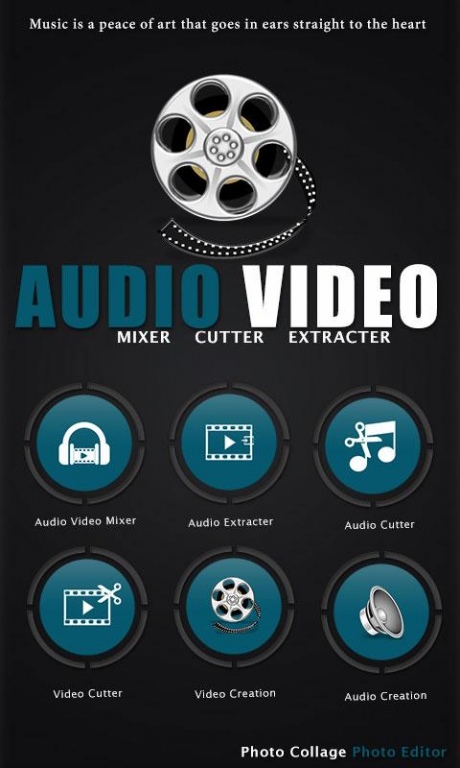
Audio Video Mixer Cutter
Audio Video Mixer Cutter helps you to cut and mix your video and Audio by start to end time.\Audio Video Mixer Cutter is one type of Video and Audio editor tools app. Audio Video Mixer Cutter is automatic audio video trimmer if the audio file length is larger than video files.
Audio Video Mixer Cutter provide a technique to change Background Music of any video files and by Audio Video Mixer you can add or mix your favourite audio files to video files. You can make your own MP3 ringtones suddenly with simple step.
Audio Video Mixer Cutter provides::=
> Audio Video Mixer
> Video Cutter
> Audio Cutter
> Video to Audio Converter(Audio Extractor).
Audio Video Mixer Cutter application Features:-
>> select your favourite video from your album and select music from your phone to make unique audio video mixer by Audio Video Mixer ,In which you can also add music to making your video with mute music.secondly, you can also set video seek bar that you want to cut.
>> you can cut your favourite part of video file by Video Cutter to share social media.
>> you can also cut your audio file by Audio Cutter seek bar that you want to cut.
>> Video to MP3 converter is convert your video file to audio file with simple step. Just adjust seek bar of any video and Convert it to audio.
Rate us and give your valuable comment for this awesome Audio Video Mixer Cutter to create more cool apps like this.
If you find anything wrong or any copyright things then mail us. We would love to hear everyone.
If you like this Audio Video Mixer Cutter then share with your friends and family member.
Enjoy.
About Audio Video Mixer Cutter
The company that develops Audio Video Mixer Cutter is Photo Collage Photo Editor. The latest version released by its developer is 1.2.
To install Audio Video Mixer Cutter on your Android device, just click the green Continue To App button above to start the installation process. The app is listed on our website since 2018-03-17 and was downloaded 195 times. We have already checked if the download link is safe, however for your own protection we recommend that you scan the downloaded app with your antivirus. Your antivirus may detect the Audio Video Mixer Cutter as malware as malware if the download link to audio.video.mixer.cutter.editor.com.pcpe is broken.
How to install Audio Video Mixer Cutter on your Android device:
- Click on the Continue To App button on our website. This will redirect you to Google Play.
- Once the Audio Video Mixer Cutter is shown in the Google Play listing of your Android device, you can start its download and installation. Tap on the Install button located below the search bar and to the right of the app icon.
- A pop-up window with the permissions required by Audio Video Mixer Cutter will be shown. Click on Accept to continue the process.
- Audio Video Mixer Cutter will be downloaded onto your device, displaying a progress. Once the download completes, the installation will start and you'll get a notification after the installation is finished.
